Run a whole territory system under one banner, and let your promotion read its own history back to you. A one-time add-on for Pro Wrestling Superstar 2.0.
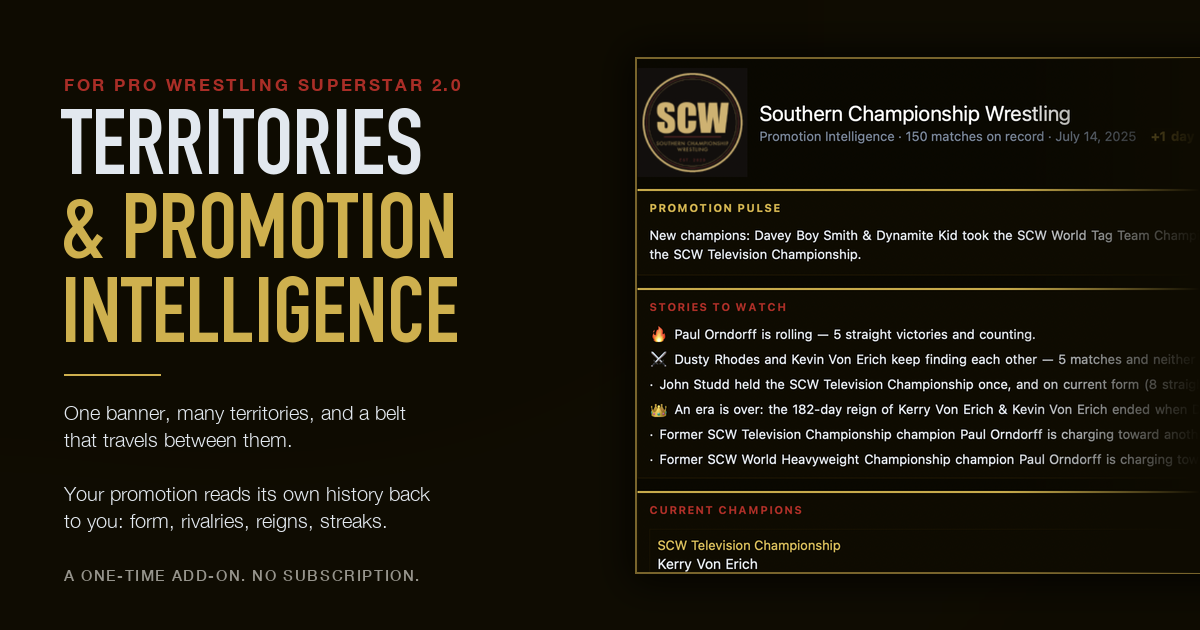
If you have been booking a fed in PWS for any length of time, you are sitting on something you cannot see. Every match you have run is in your results database. Every title change is in your title histories. The wins, the losses, the streaks, the rivalries, the reigns: it is all in there, and until now the only way to get at it was to go looking, one wrestler and one title at a time.
Meanwhile the thing you actually want to know when you sit down to book the next card is simple. Who is hot right now? Who has gone cold? Which feud is worth paying off? Who has not been on television in a month? You knew those answers when you ran the shows, and then a year went by and you did not anymore.
So I built the thing that answers them. Say hello to PWS Territories and Promotion Intelligence.
The Dashboard: Where Your Fed Stands Today
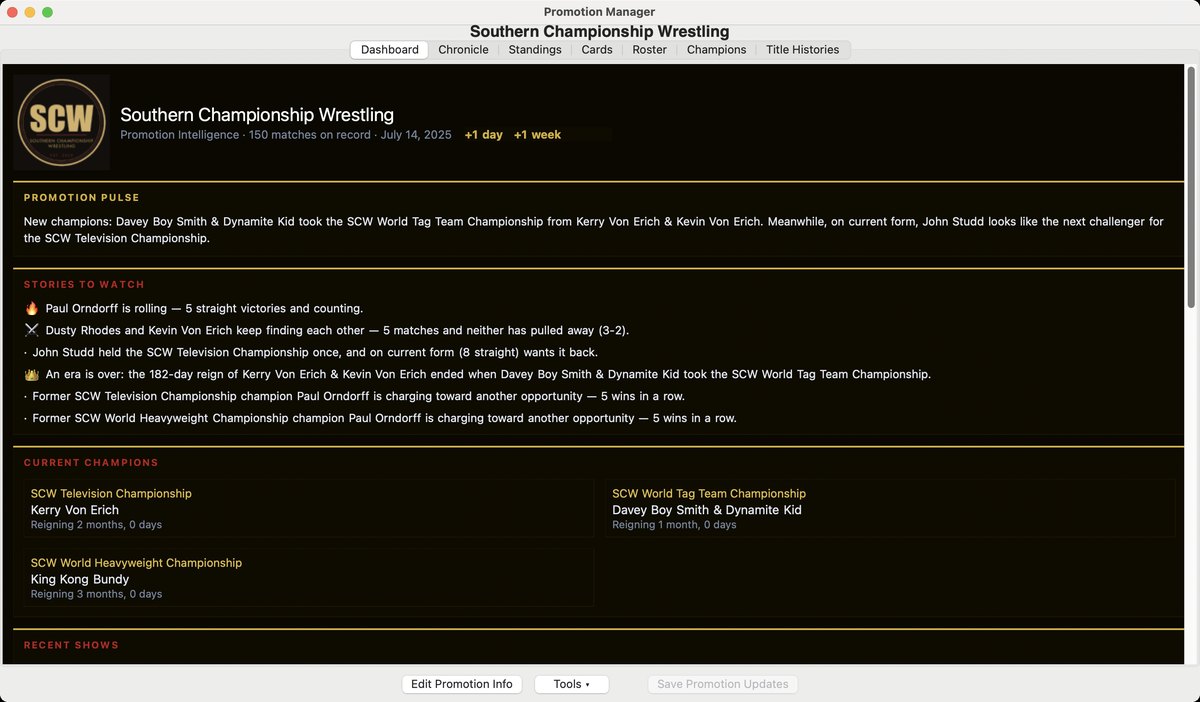
Open the Promotion Manager and the Dashboard is the first thing you see. At the top, the Promotion Pulse: a couple of sentences on where things stand right now. New champions. Who, on current form, looks like the next challenger.
Under that, Stories to Watch, which is the part I keep opening even when I have nothing to book. It calls out who is on a run. It notices when two wrestlers keep finding each other and neither one has pulled away. It tells you when an era ends, and it tells you when a former champion is charging back toward another shot. These are the things you would have spotted yourself if you had been reading your own results all year. You were not, and it was.
Then your current champions, each with how long the reign has run, and the shows you have put on lately. Names on the page are links, so a wrestler you have not thought about in months is one click from their profile. The promotion date sits up in the header with "+1 day" and "+1 week" beside it, so you can move the calendar along without leaving the page.
The Chronicle: Everything That Ever Happened
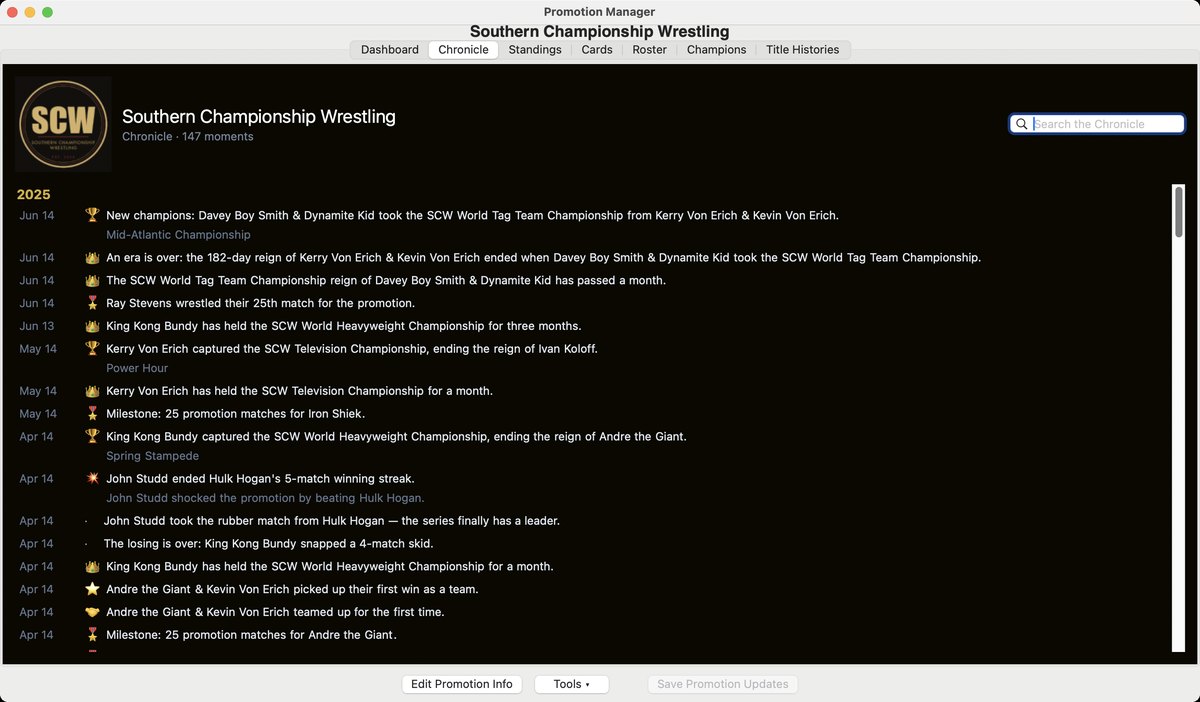
The Chronicle is your promotion's history as a single running feed, newest first, grouped by year. Every title change. Every reign that passed a month, or three, or a year. Every streak that got broken and who broke it. Every milestone, down to a wrestler's twenty-fifth match for the promotion.
There is a search box, and you will use it more than you expect. Type a wrestler's name and you get their whole career with your fed in one column. Type a belt and you get its lineage as it actually happened, not as you half remember it.
Standings: The Whole Roster on One Screen
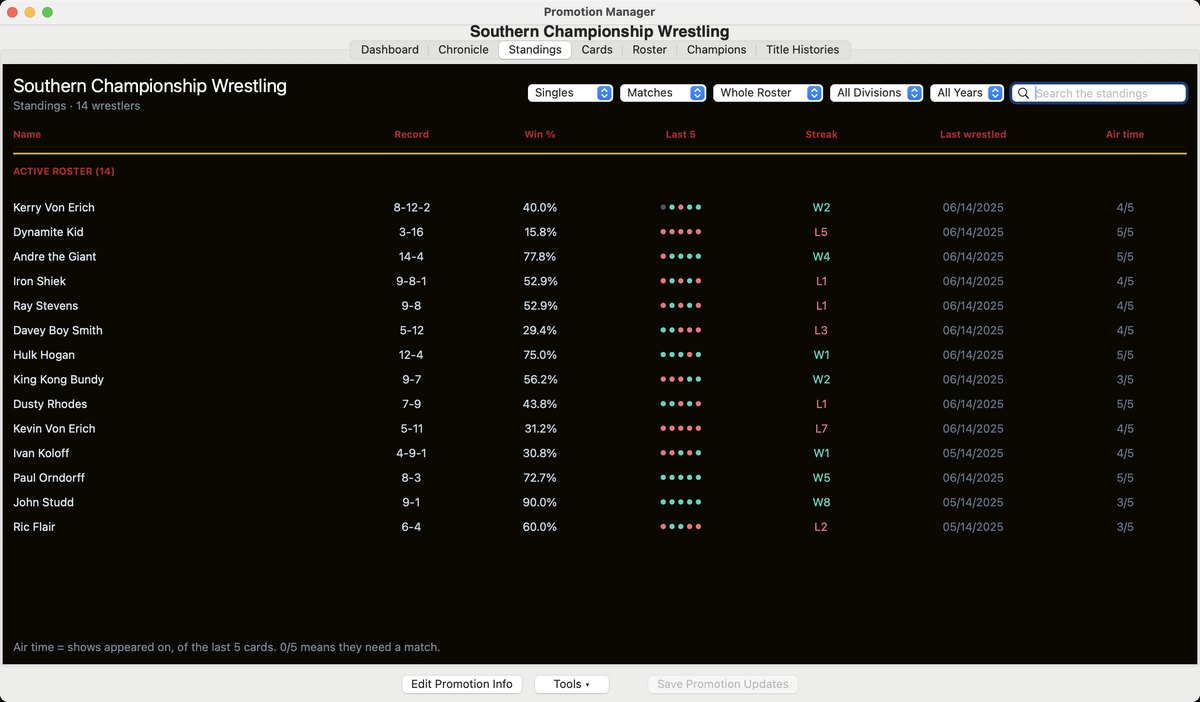
Record, win percentage, last five results at a glance, current streak, and the date they last wrestled. Filter it by singles or tags, by division, by year. Sort it however you think.
The column I did not expect to lean on so hard is Air time: how many of your last five cards each wrestler appeared on. A roster member sitting at 0 out of 5 has been quietly forgotten, and there is usually one. It is the fastest way I know to find the match you should have booked already.
Territories: One Banner, Many Promotions
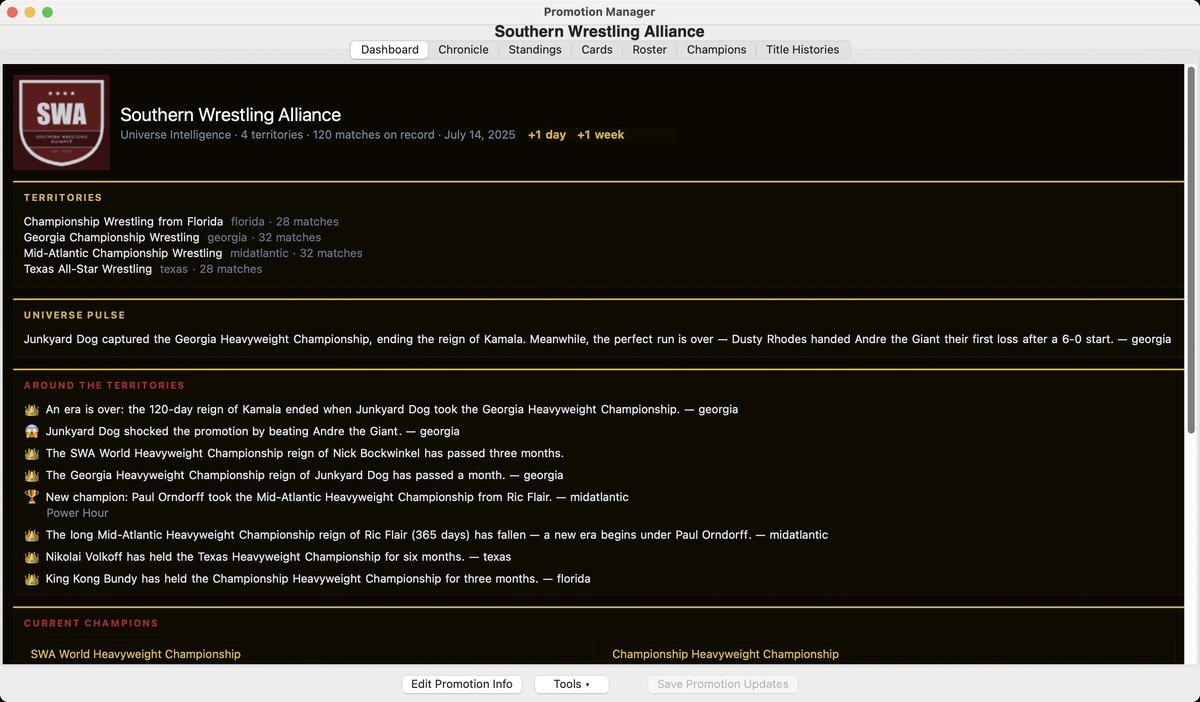
This is the one people have been asking me about for years. You can now run a family of promotions under a single banner. Florida, Georgia, Mid-Atlantic, Texas, each keeping its own roster, its own championships and its own history, all of them part of one world.
A belt can travel between them the way the old World title crossed territory lines. A touring championship belongs to the banner rather than to whichever territory is holding it this month, so it stays one lineage no matter where it has been defended.
The banner gets a page of its own: your territories with their match counts, a Universe Pulse that reads across all of them, and an Around the Territories feed of what happened where. A champion changing hands in Georgia shows up on the banner the moment you save the show.
If You Run One Promotion, This Is Still for You
I want to be clear about this, because the name leads with the word territories and I do not want anyone deciding it is not for them. Promotion Intelligence works exactly the same on a single fed. The Dashboard, the Chronicle, Standings, the wrestler profiles, all of it. If you have one promotion and no intention of ever having two, you lose nothing. Territories are there if you want them. Run a territory system, or run one promotion. Either way, watch the story write itself.
There Is Nothing to Type In
This is the part I am proudest of. None of it is invented and none of it is entered by hand. Every line of it is derived from matches you have already run.
Which means there is no setup, no back-filling, and no long afternoon of data entry before it becomes useful. If you have a couple of years of shows behind you, it has something to tell you the moment you switch it on. If you have been at this since PWS 1.0, brace yourself a little.
How to Get It
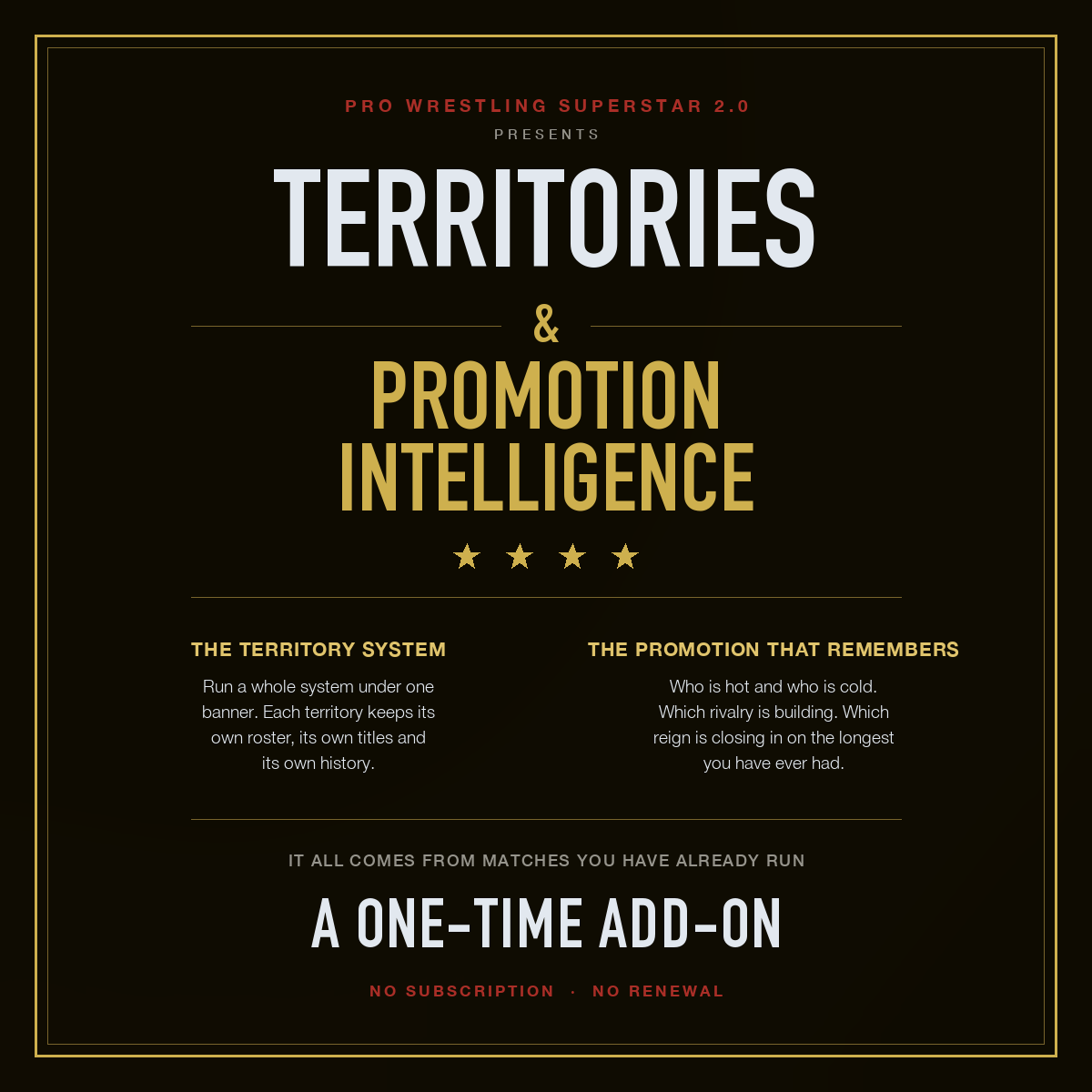
Territories and Promotion Intelligence is $20, one time. It is not a separate program and it is not a subscription. It unlocks inside the copy of Pro Wrestling Superstar 2.0 you already have, and the key is checked on your own computer, so it works offline and it does not expire.
Buy it on the purchase page. You will get a key by email. In PWS, go to Help → Promotion Intelligence Key... and paste it in. Your add-on key is separate from your PWS licence key, and entering one never affects the other.
If you are new to PWS, or coming back from 1.0, there are bundles that save you $5 over buying the game and the add-on separately. They are on the same page.
One More Thing, and It Is Free
Your promotion has to be remembering things before it can read them back to you, so the recording side is not behind the add-on and never will be. Title defenses are stamped on every match with a belt on the line, and battle royals save their full elimination order, for everyone, paid or not. That has been quietly accruing in your database for a while now. If you buy the add-on a year from now, a year of history will be waiting for you.
Restart PWS to pick up the latest version, then have a look at what your fed has been doing while you were not watching.
— John